> For the complete documentation index, see [llms.txt](https://wiki.thescriptersguild.com/llms.txt). Markdown versions of documentation pages are available by appending `.md` to page URLs; this page is available as [Markdown](https://wiki.thescriptersguild.com/legacy-halo/halo-5/forge/cubemaps.md).
# Cubemaps
Whenever I start a map nowadays, I build it with the location of the cube map in mind. It is a very useful piece of knowledge to have so I thought I'd spread the love and share what I know. In the spoiler below is a list of all the cube map locations.
Cube Map Locations
**PARALLAX**:\
Blue Planet = -700,\~2000,\~1750 (outside forgeable space)\
Exosphere = 0,0,0\
Ascendence = -700,\~2000,\~1750 (outside forgeable space)\
Halo Ring = 0,0,0
**TIDAL** Paradise = 0,0,120\
Stormy = 0,0,120\
Meteor Shower = 0,0,120\
Clear = 0,0,-248
**ALPINE**\
Cirrus = -200,-80,-30\
Sunset = -200,-80,-30\
Overcast = -200,-80,-30
**GLACIER**\
Midday = 50,-90,230\
Nighttime = 50,-90,230\
Sunrise = 50,-90,230
**BARRENS**\
Twilight = 0,0,0\
Dust Storm = 0,0,48\
Sunrise = 0,0,60
**DEPTHS**\
Depths = 0,0,24
I will try to revisit this list every once in a while to keep it up to date, I believe 343 has moved the cube map locations around before. If you think a location has moved, shoot me a message and I will update the list with the new one.
Don't have any idea what a cube map is or what I'm talking about?
What's a Cube Map and What Does It Do?
**What is a cube map?** Ripped from wikipedia: "In computer graphics, **cube mapping** is a method of environment **mapping** that uses the six faces of a **cube** as the **map** shape. The environment is projected onto the sides of a **cube** and stored as six square textures, or unfolded into six regions of a single texture."
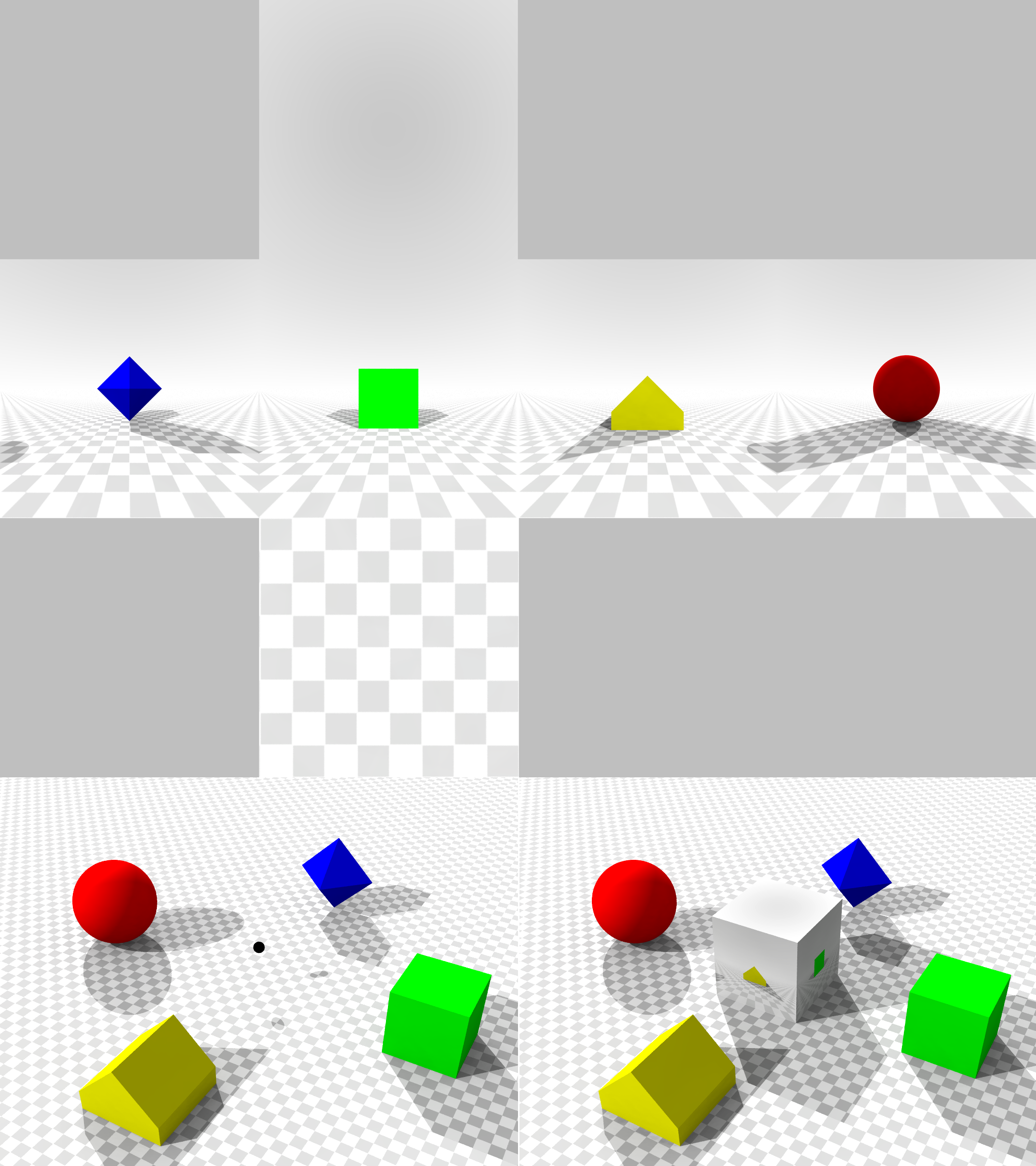 Example:
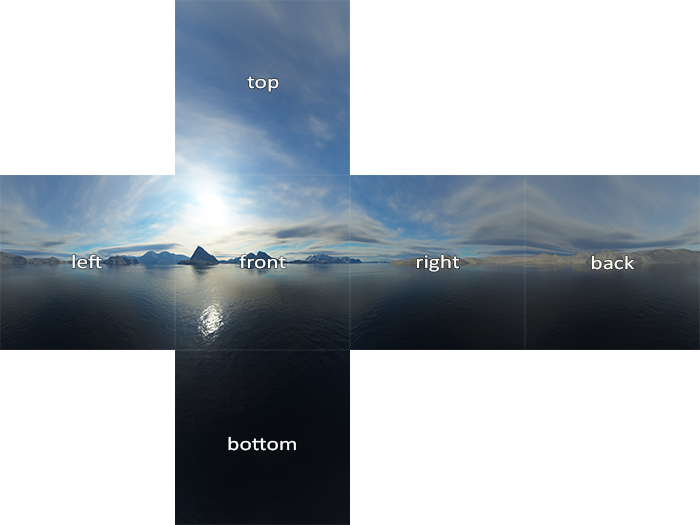 This is part of how the skybox surrounding each forge space is created.
Often when a forger refers to the cube map, they are talking about a unique cube that the map creates and then uses to project surface reflections onto the forge pieces. Think of a 360° camera that snaps a picture of your map from a single point somewhere on the canvas. This picture is created every time the user generates lighting.
Another nice little picture I found on Google:
This is part of how the skybox surrounding each forge space is created.
Often when a forger refers to the cube map, they are talking about a unique cube that the map creates and then uses to project surface reflections onto the forge pieces. Think of a 360° camera that snaps a picture of your map from a single point somewhere on the canvas. This picture is created every time the user generates lighting.
Another nice little picture I found on Google:
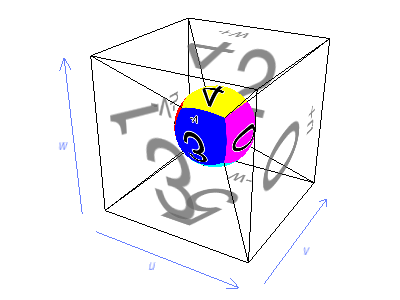 So when the 360° camera looks up into the sky in the example above, it snaps a picture of the 4. And when players look down at a surface (the yellow surface in the picture) which is reflecting what's above it, they will see the 4.
What Can Be Done with a Cube Map?
**What can be done with a cube map?**
Now that we know the location of a cube map and how it works, we can control the reflections that are projected onto the forge pieces within the map!
For example, one could surround the cube map location in a box. If the box is dark, all reflections will be dark. This is one way I like to darken my maps. The box could also be colored. But for the cube map to see the color, there needs to be a light inside the box. A yellow box will add a yellow hue to your entire map.
 \
\&#xNAN;*Scripting not necessary ;)*
 
The map Reliquary is another good example. On it darkprince909 created a mini mountain scape around the camera so when players see a reflection, they see the "mountains" around them and not the outside boundaries of the map.
\
\&#xNAN;*Scripting not necessary ;)*
 
The map Reliquary is another good example. On it darkprince909 created a mini mountain scape around the camera so when players see a reflection, they see the "mountains" around them and not the outside boundaries of the map.
**Contributors**\
MythicFritz\
Captain Punch
---
# Agent Instructions
This documentation is published with GitBook. GitBook is the documentation platform designed so that both humans and AI agents can read, navigate, and reason over technical content effectively. Learn more at gitbook.com.
## Querying This Documentation
If you need additional information that is not directly available in this page, you can query the documentation dynamically by asking a question.
Perform an HTTP GET request on the current page URL with the `ask` query parameter, and the optional `goal` query parameter:
```
GET https://wiki.thescriptersguild.com/legacy-halo/halo-5/forge/cubemaps.md?ask=&goal=
```
`ask` is the immediate question: it should be specific, self-contained, and written in natural language.
`goal` is optional and describes the broader end goal you are ultimately trying to accomplish on behalf of the user. GitBook uses it to tailor the answer towards what is most useful for that goal.
The response will contain a direct answer to the question and relevant excerpts and sources from the documentation.
Use this mechanism when the answer is not explicitly present in the current page, you need clarification or additional context, or you want to retrieve related documentation sections.