> For the complete documentation index, see [llms.txt](https://wiki.thescriptersguild.com/llms.txt). Markdown versions of documentation pages are available by appending `.md` to page URLs; this page is available as [Markdown](https://wiki.thescriptersguild.com/forge/lighting/lighting-modifiers/reflection-volumes-old.md).
# Reflection Volumes (old)
## Reflection Volumes
Reflection Volumes are a capture of a scene from the volume (Chrome Sphere, also known as Cubemaps). This capture displays reflections on geometry that enters that volume. High metal values are highly recommended to use a Reflection volume, such as spartan visors, forerunner hexes, or other metal objects.
{% hint style="info" %}
There is a max limit of 15 manually placed Reflection Volumes, plus 1 global default reflection volume centered around: X=0,Y=0,Z=1000
{% endhint %}
| Property Name | Description |
| -------------- | -------------------------------------------------------------------------------------------------------------------------------------------------------------------------------------------------------------------------------------------- |
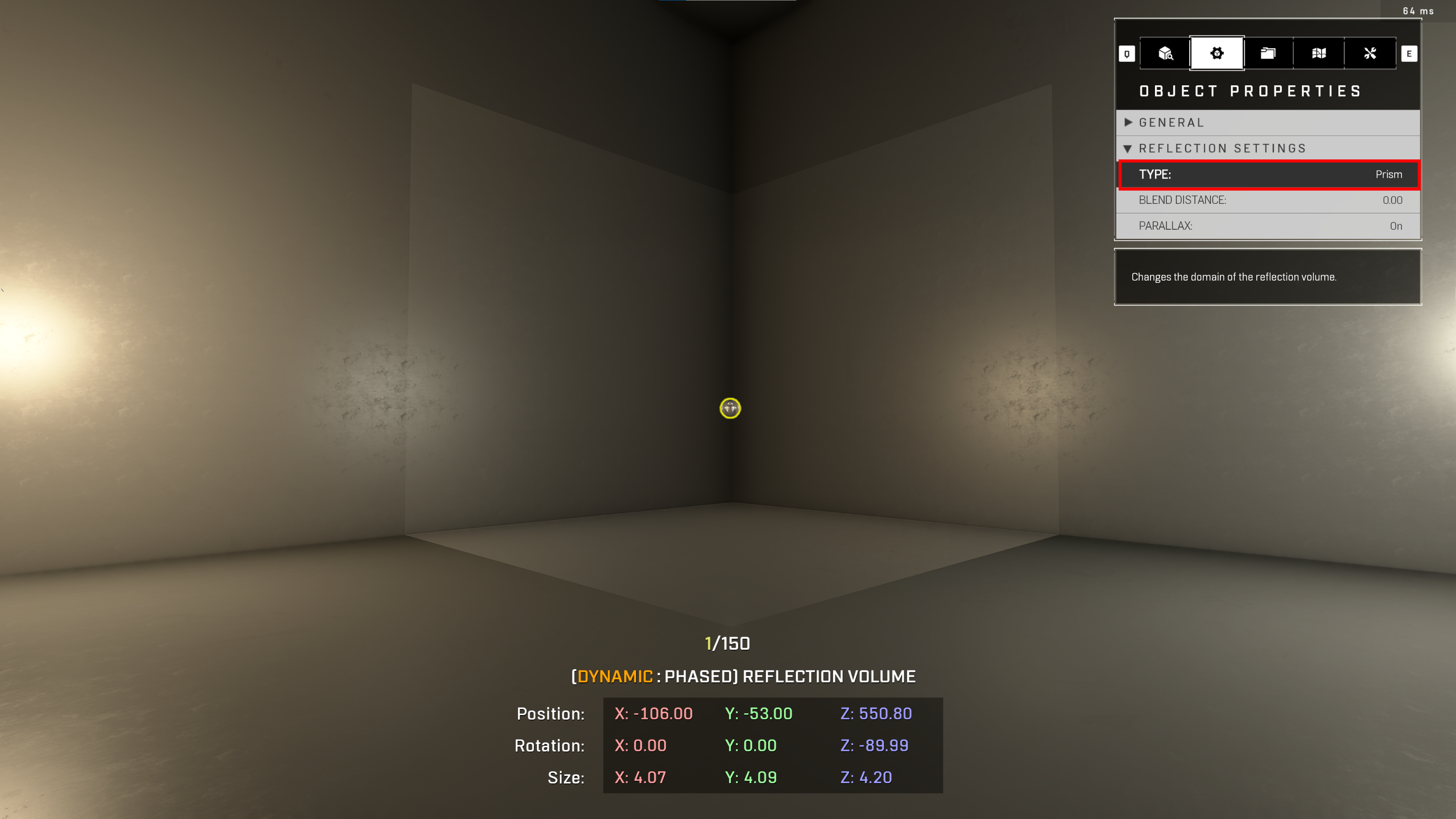
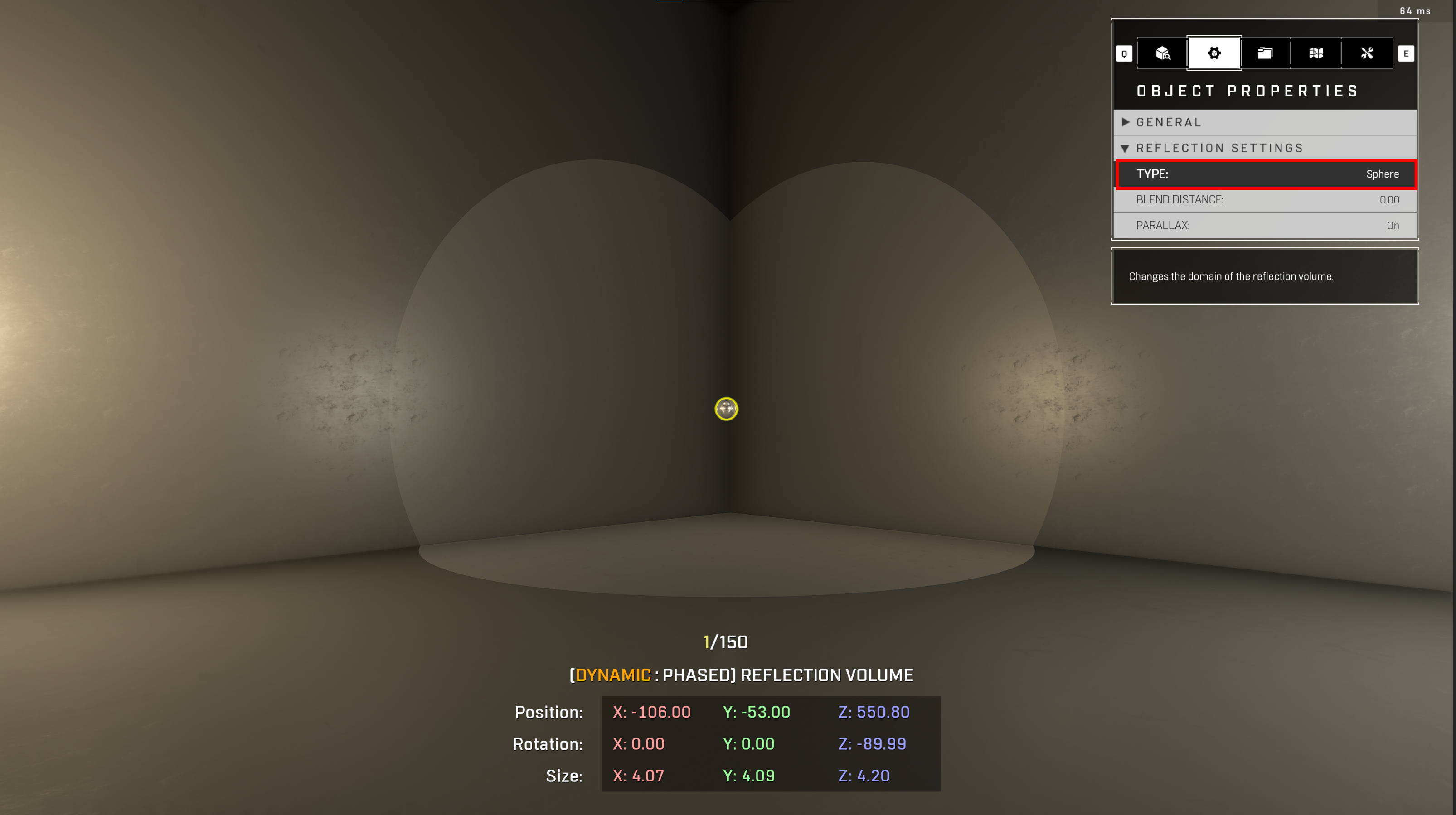
| Type |
|
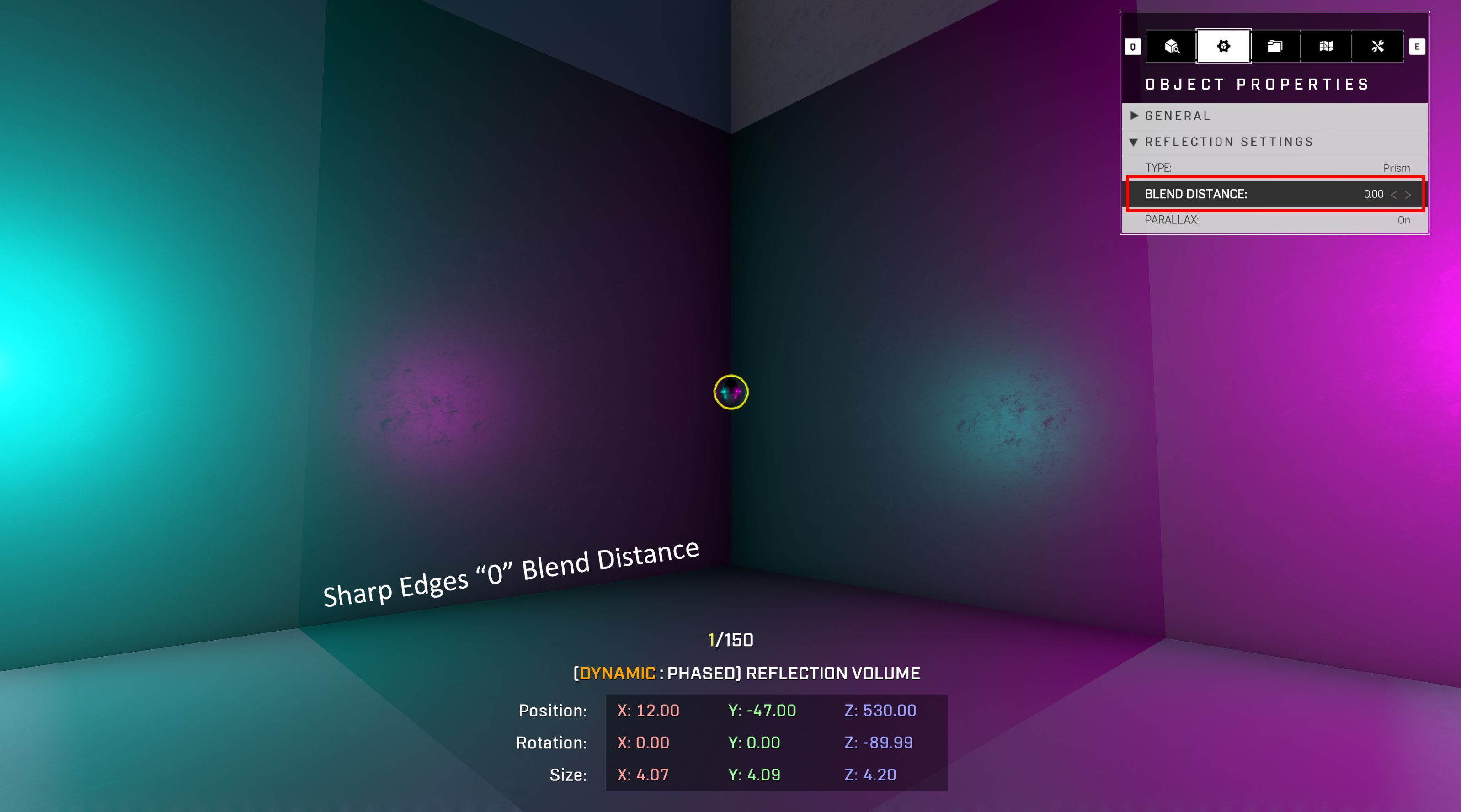
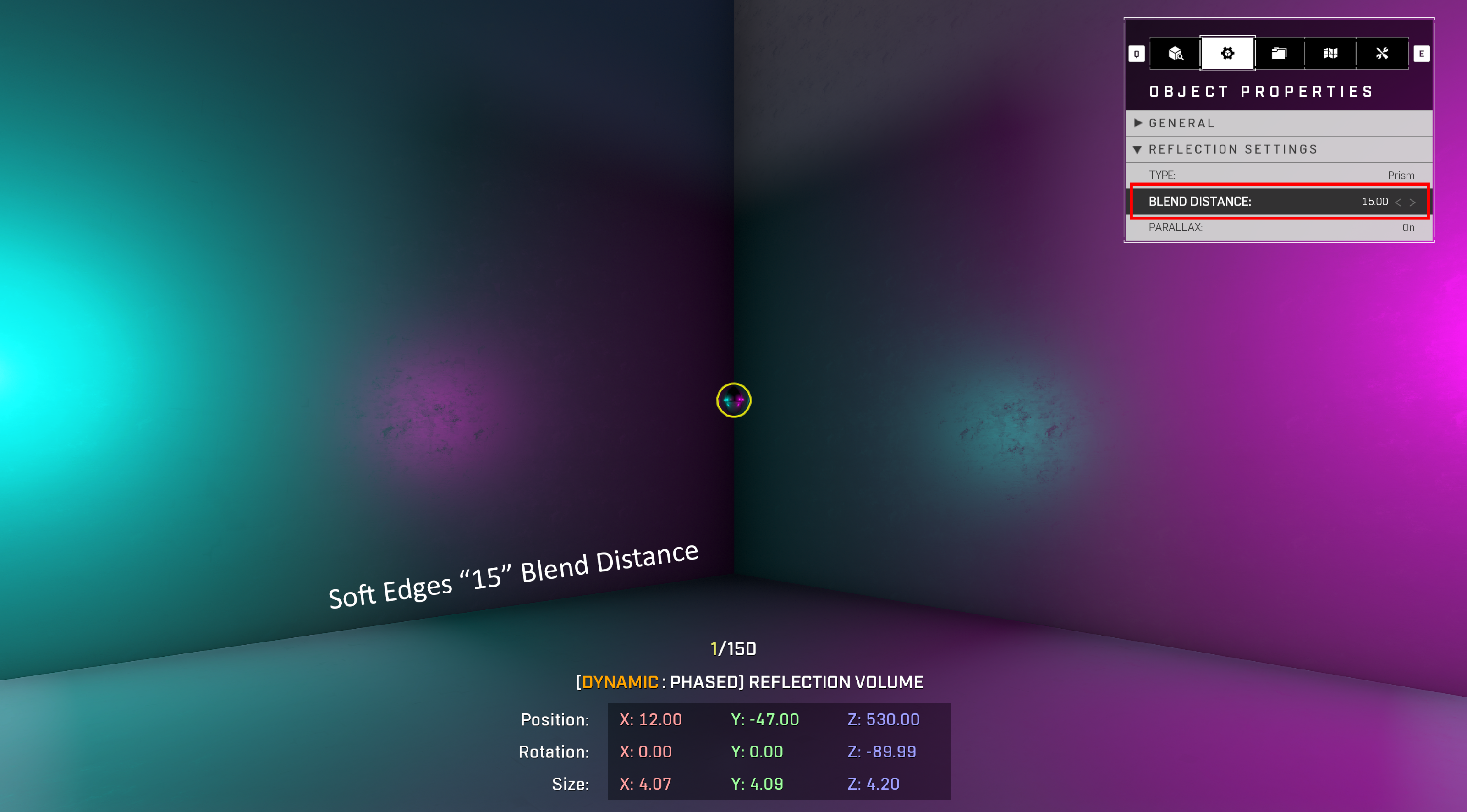
| Blend Distance | Fades the edges of the reflection volume (Lower settings will have a sharp edge / Higher settings will have a softer edge). (Reference Image Blend Distance '0' and '15') |
| Parallax | Toggle on/off parallax correction to reflection from volume |
## Reflection Volumes
Reflection Volumes are a capture of a scene from the volume (Chrome Sphere, also known as Cubemaps). This capture displays reflections on geometry that enters that volume. High metal values are highly recommended to use a Reflection volume, such as spartan visors, forerunner hexes, or other metal objects.
{% hint style="info" %}
There is a max limit of 15 manually placed Reflection Volumes, plus 1 global default reflection volume centered around: X=0,Y=0,Z=1000
{% endhint %}
| Property Name | Description |
| -------------- | -------------------------------------------------------------------------------------------------------------------------------------------------------------------------------------------------------------------------------------------- |
| Type |
|
| Blend Distance | Fades the edges of the reflection volume (Lower settings will have a sharp edge / Higher settings will have a softer edge). (Reference Image Blend Distance '0' and '15') |
| Parallax | Toggle on/off parallax correction to reflection from volume |