> For the complete documentation index, see [llms.txt](https://wiki.thescriptersguild.com/llms.txt). Markdown versions of documentation pages are available by appending `.md` to page URLs; this page is available as [Markdown](https://wiki.thescriptersguild.com/forge/lighting/global-lighting-settings/fog-old.md).
# Fog (old)
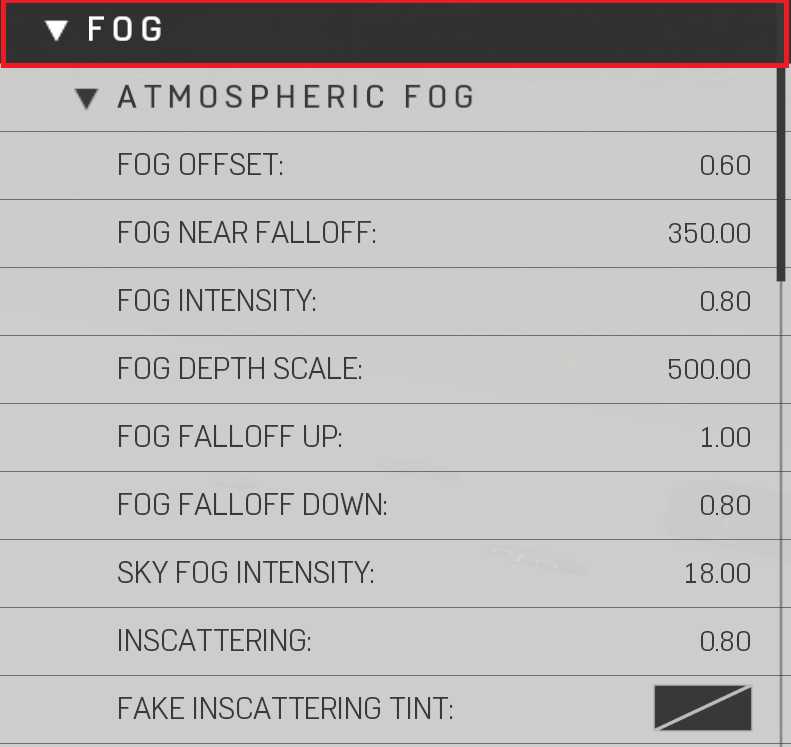
## Atmospheric Fog
Atmospheric Fog Properties
| Property Name | Description |
| ---------------------- | ----------------------------------------------------------------------------------------------------------------- |
| Fog Offset | Distance to offset the fog falloff from where fog starts to the horizon |
| Fog Near Falloff | Distance from player when atmospheric fog starts rendering |
| Fog Intensity | Sets the atmospheric fog density |
| Fog Falloff Up | Atmospheric fog falloff going upwards from the horizon |
| Fog Falloff Down | Atmospheric fog falloff going down from the horizon |
| Sky Fog Intensity | How much Fog is in the atmosphere |
| Inscattering | The amount of light that scatters throughout the atmosphere (Reference Image Inscattering) |
| Fake Inscattering Tint | Sets a false color scatter thorough the atmosphere \| Inscattering must be under 1 (Reference Image Inscattering) |

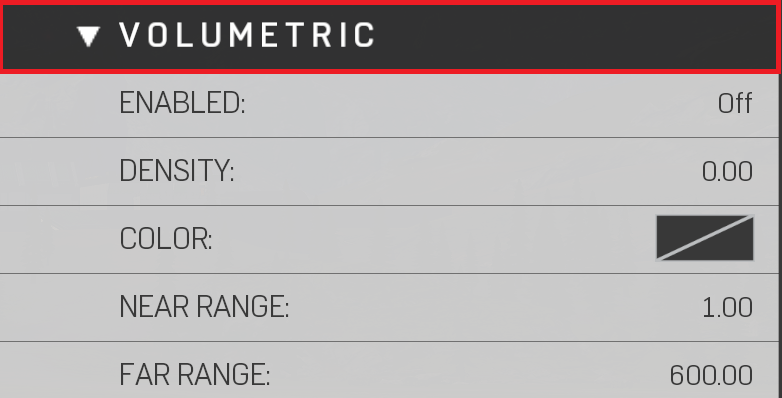
## Volumetric Fog
Volumetric Fog Properties
{% hint style="info" %}
Volumetric Fog simulates a 3D fog that can be used to create light rays, take in color from lights, or provide a general haze around world.
{% endhint %}
| Property Name | Description |
| ------------- | ----------------------------------------------------------- |
| Color | Sets color |
| Density | How thick the volumetric fog is |
| Enabled | Toggles volumetric fog On/Off |
| Far Range | Distance from player when volumetric fog "Stops" rendering |
| Near Range | Distance from player when volumetric fog "Starts" to render |
## Fog Intensity
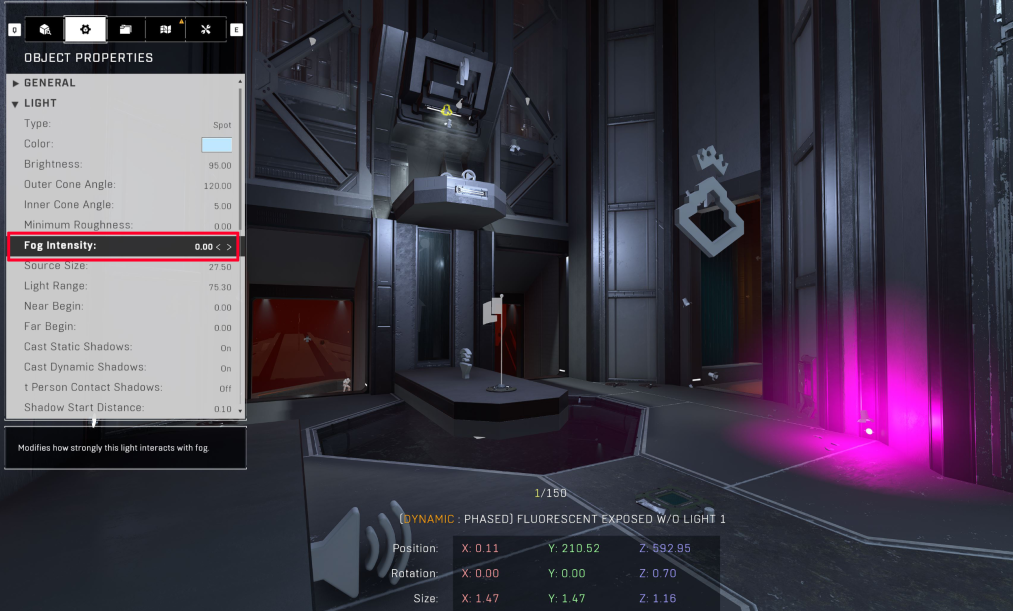
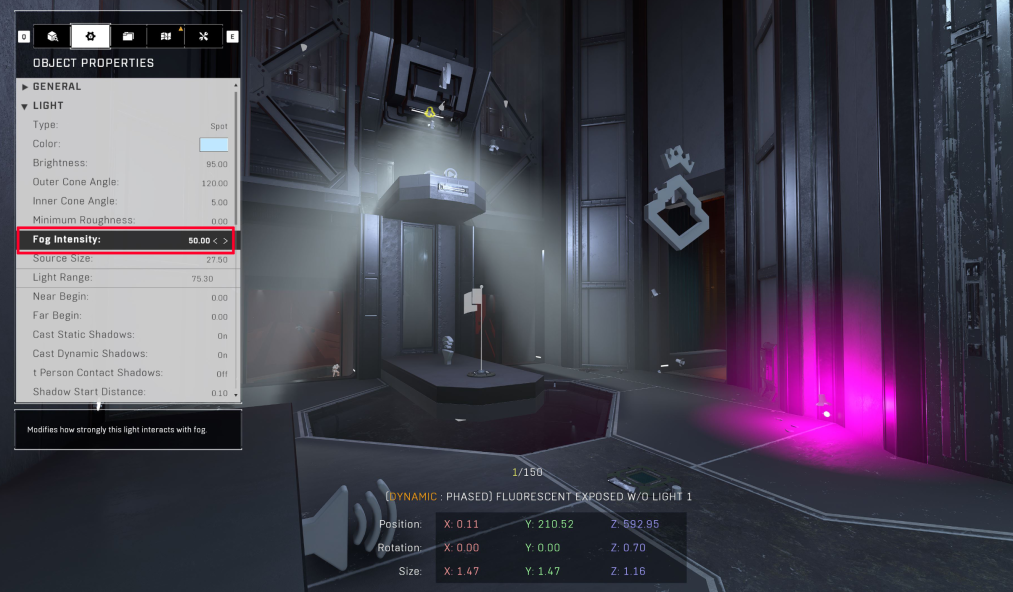
Fog Intensity is a parameter available on Generic lights that allows users to adjust the amount of volumetric fog emitted by the light source. This setting is proportional to the overall volumetric fog settings configured in the Map settings. However, it provides a localized control, enabling users to customize the fog intensity for specific lights. This feature is especially useful when you want to create diverse atmospheres by varying fog levels between different areas illuminated by lights.
**Notes:**
* Volumetric fog must be enabled in the Map settings.
* The fog density should be set above 0 for Fog Intensity adjustments to take effect.
* The fog color must not be set to black for this feature to work properly.
Additionally, understanding the concept of near and far ranges is essential:
* If you observe the fog disappearing as you approach an object, it indicates the near range in action. Volumetric fog doesn't render up close to the camera, ensuring a clear view of nearby objects.
* Conversely, if the fog vanishes in the distance, it signifies reaching the light's far range. Beyond this point, volumetric fog does not render, creating a defined boundary for the fog effect.
By manipulating Fog Intensity, creators can craft visually compelling environments with precisely tailored fog effects, enhancing the overall atmosphere of their scenes
**Contributors**\
Tyler | Lighting Artist\
Captain Punch\
Nitro\\