# tsg lootCaves

<figure><img src="/files/RVUai5paf704OR5iR9l1" alt="The tsg lootCaves prefab and all of the included objects"><figcaption></figcaption></figure>

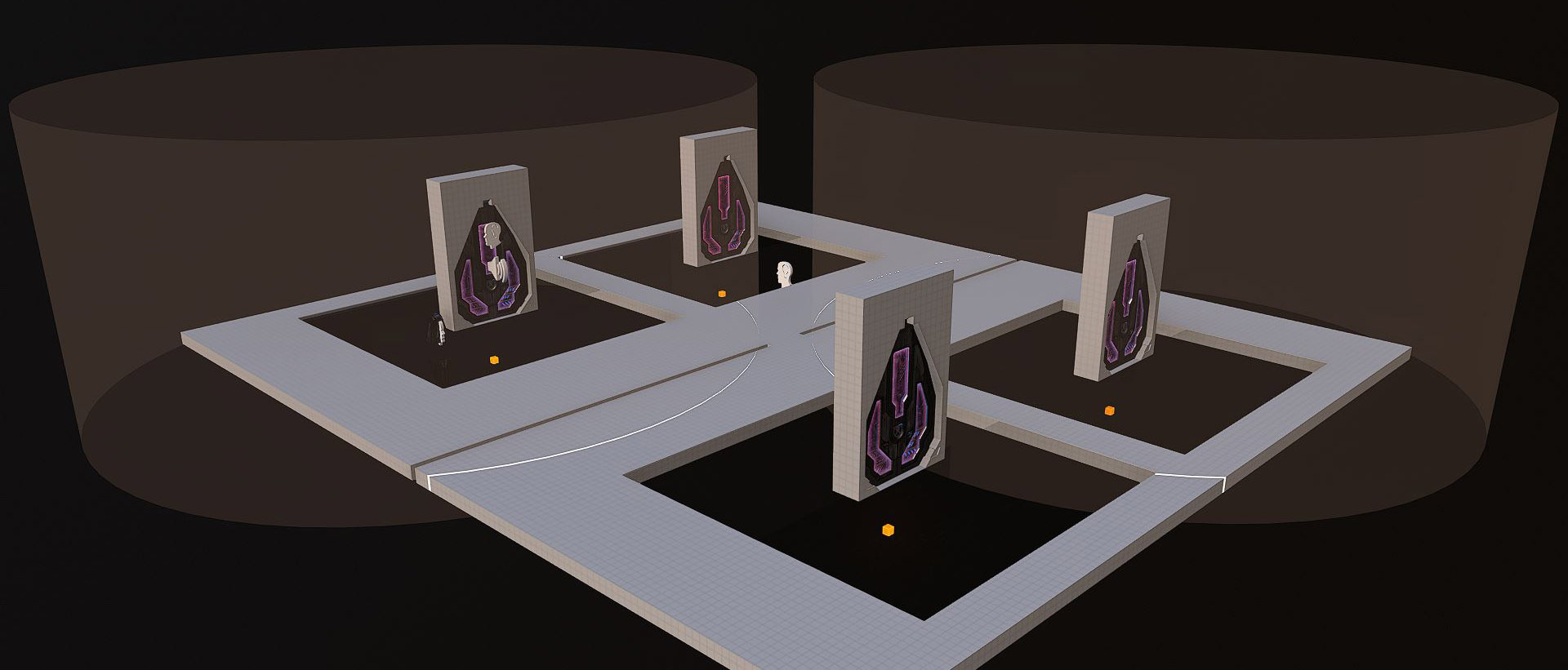
`tsg lootCaves` is a recreation of the hackable "Loot Caves" in the dev-made BTB map Fragmentation. The prefab includes instances of the [tsg hackSwitch](/community/content/assets-and-kits/tsg-hackswitch.md) prefab, which are used to open the loot cave doors. This guide focuses only on the loot cave door portion of the entity.

Bookmark the prefab with the [filter link here](https://www.halowaypoint.com/halo-infinite/ugc/browse?searchTerm=tsg+lootCaves) or find the prefab through the in-game UGC browser by searching with keywords or tags.

## Features

A showcase of the loot cave door features and how they are triggered.

### Door opening

If closed (red, locked), the doors of the loot cave can only be opened in two ways:

* From a completed hack trigger
* From the inside of the loot cave by a player, vehicle or an AI

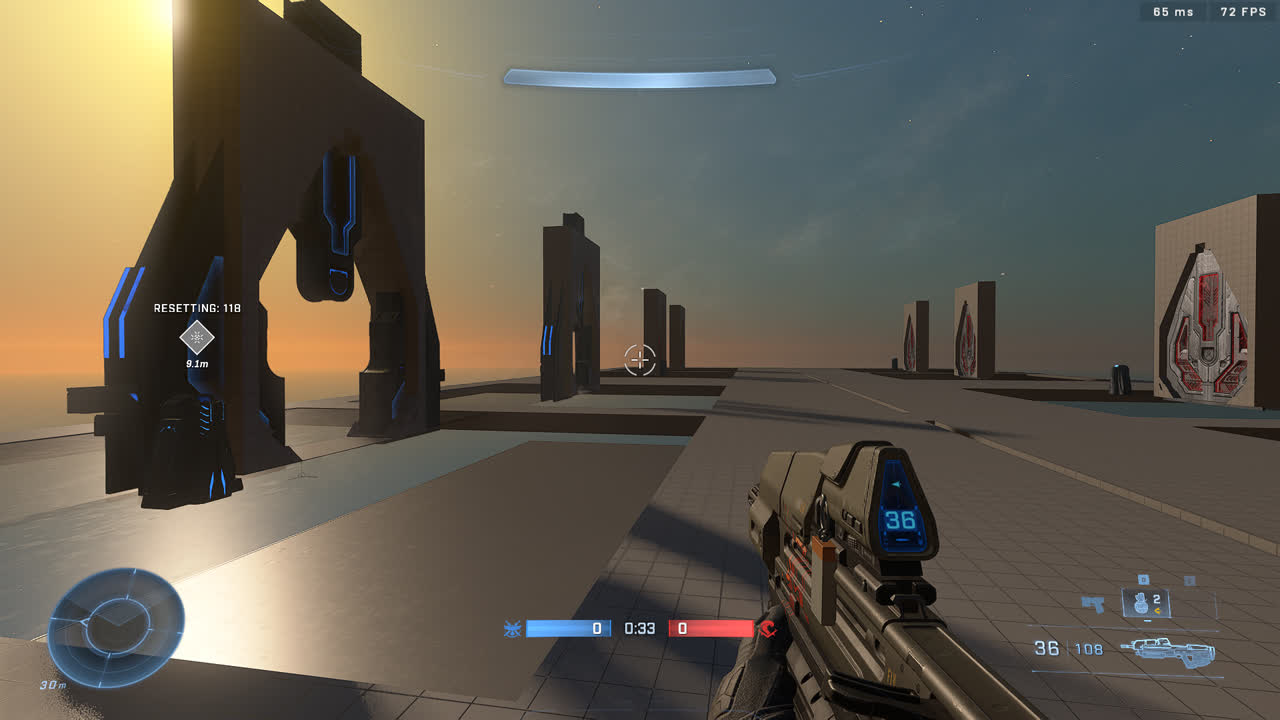
If open (blue, unlocked), the doors can be kept open indefinitely by having a player, vehicle or an AI next to them within the specified boundary.

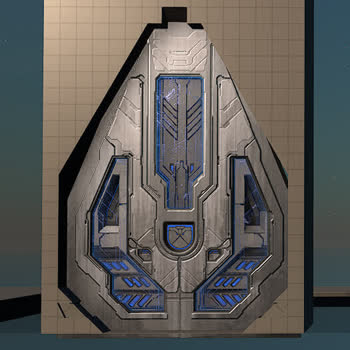
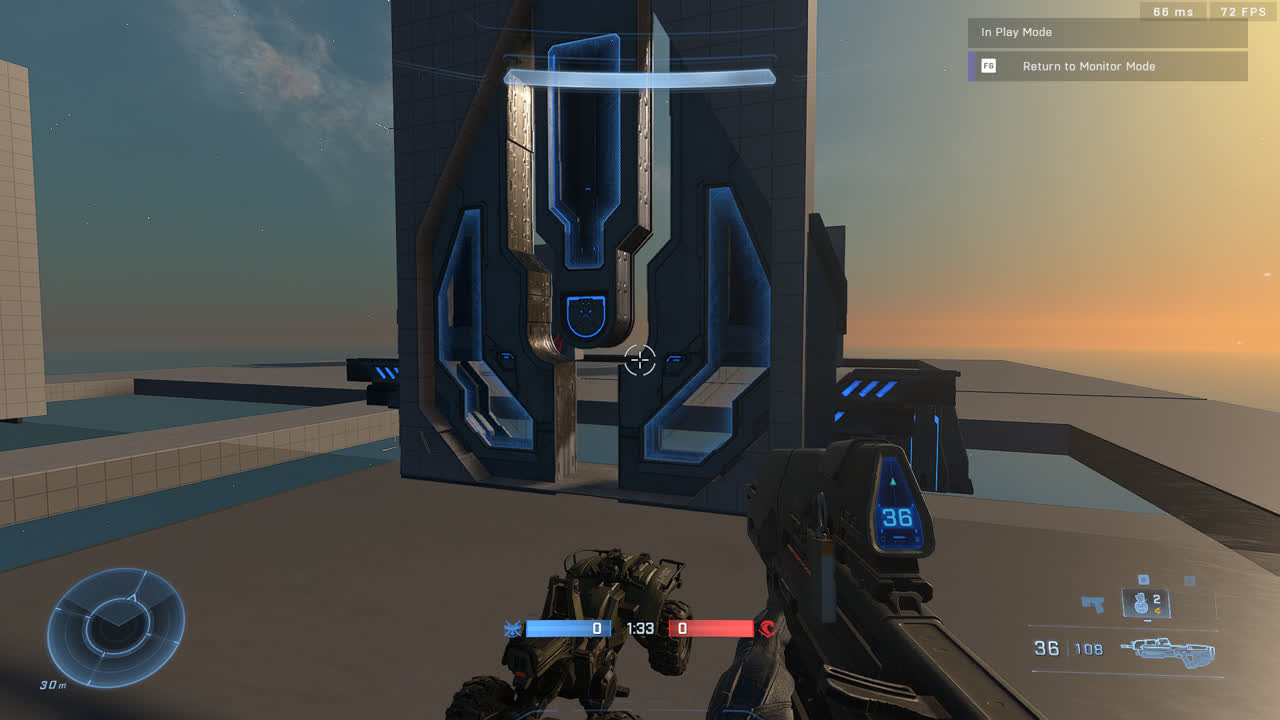
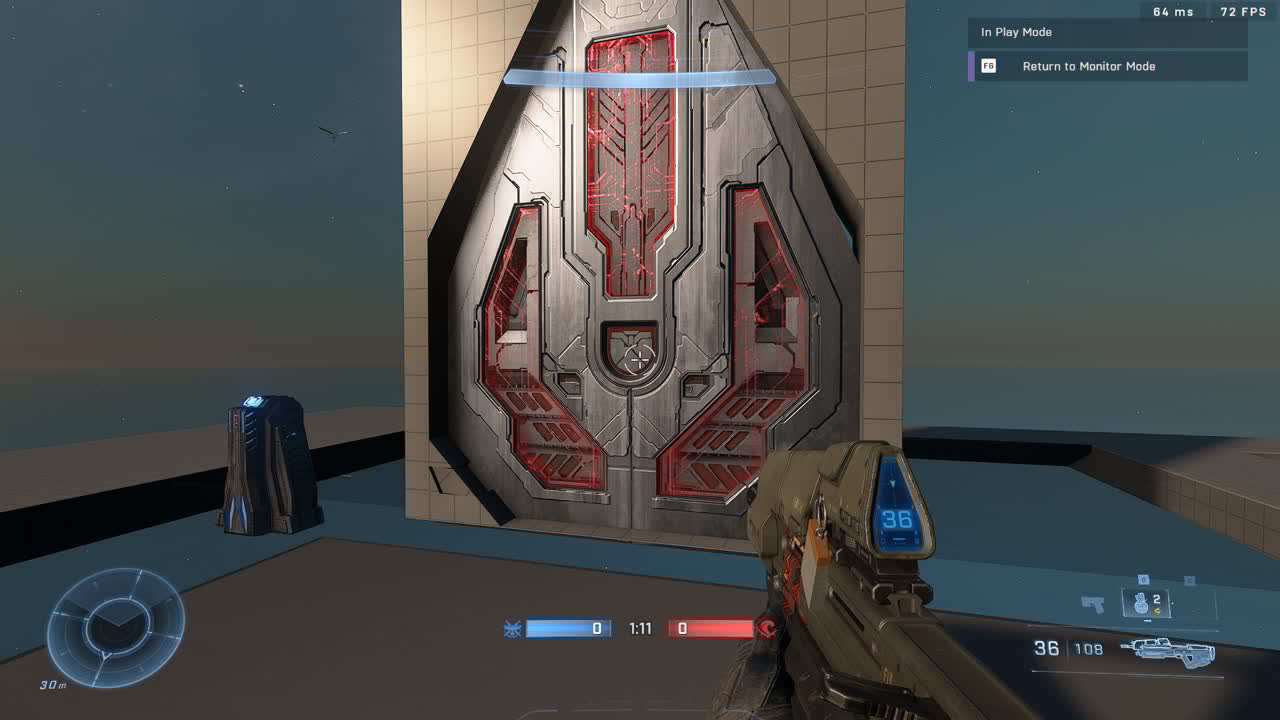
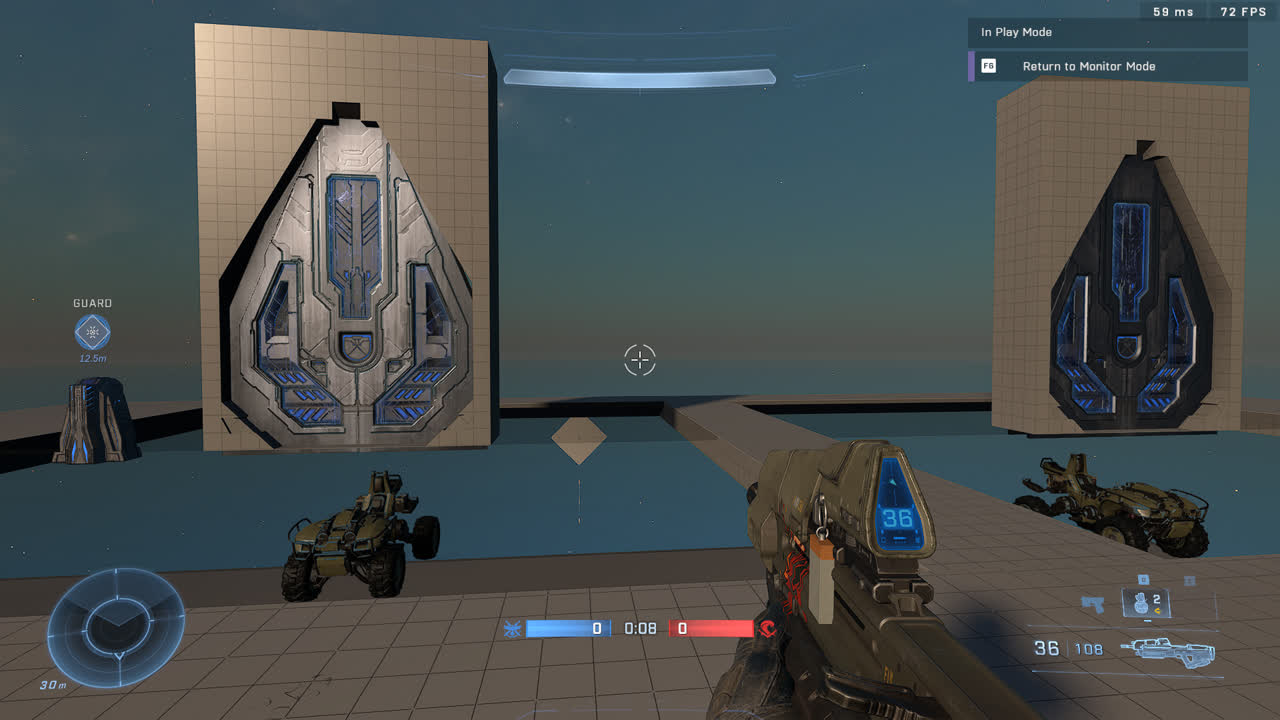
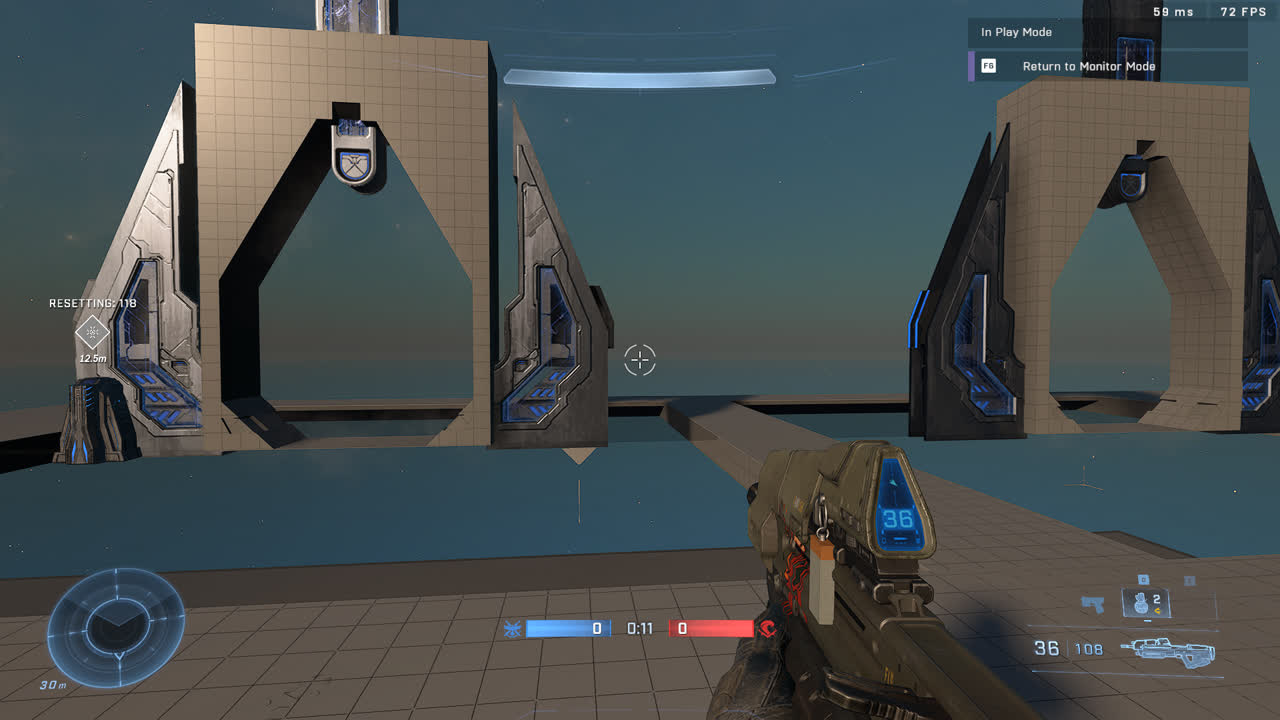
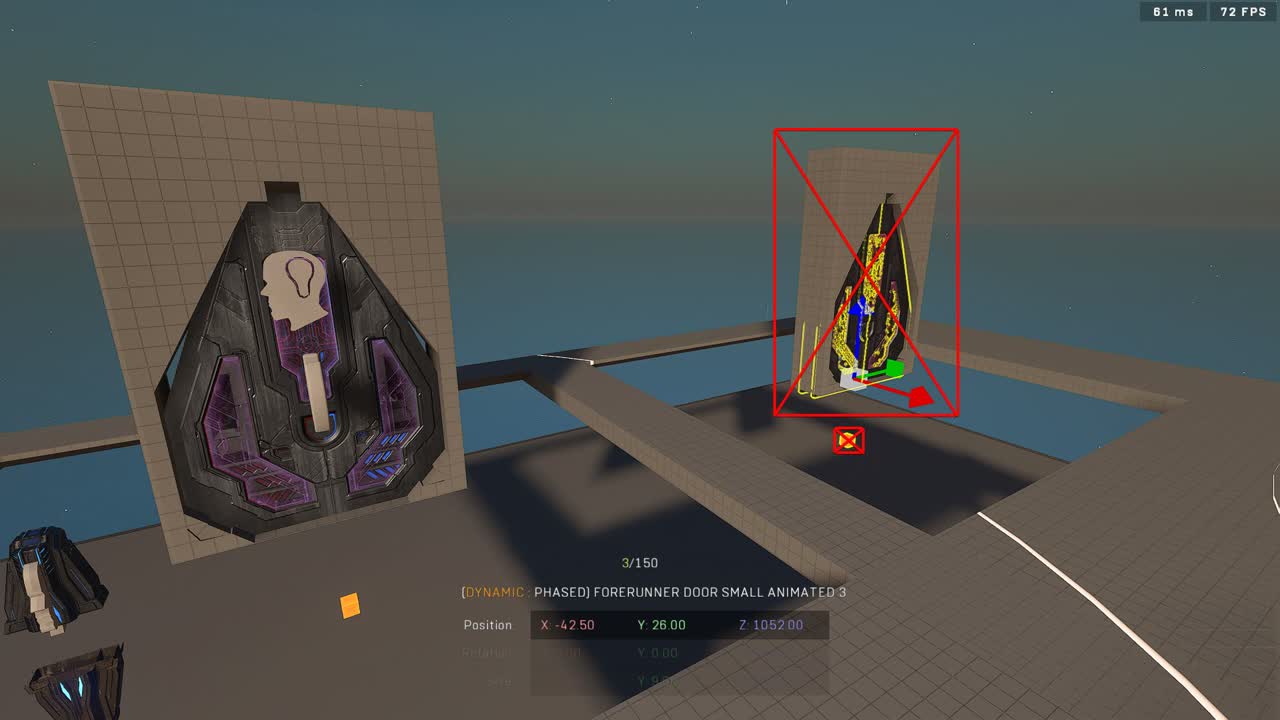
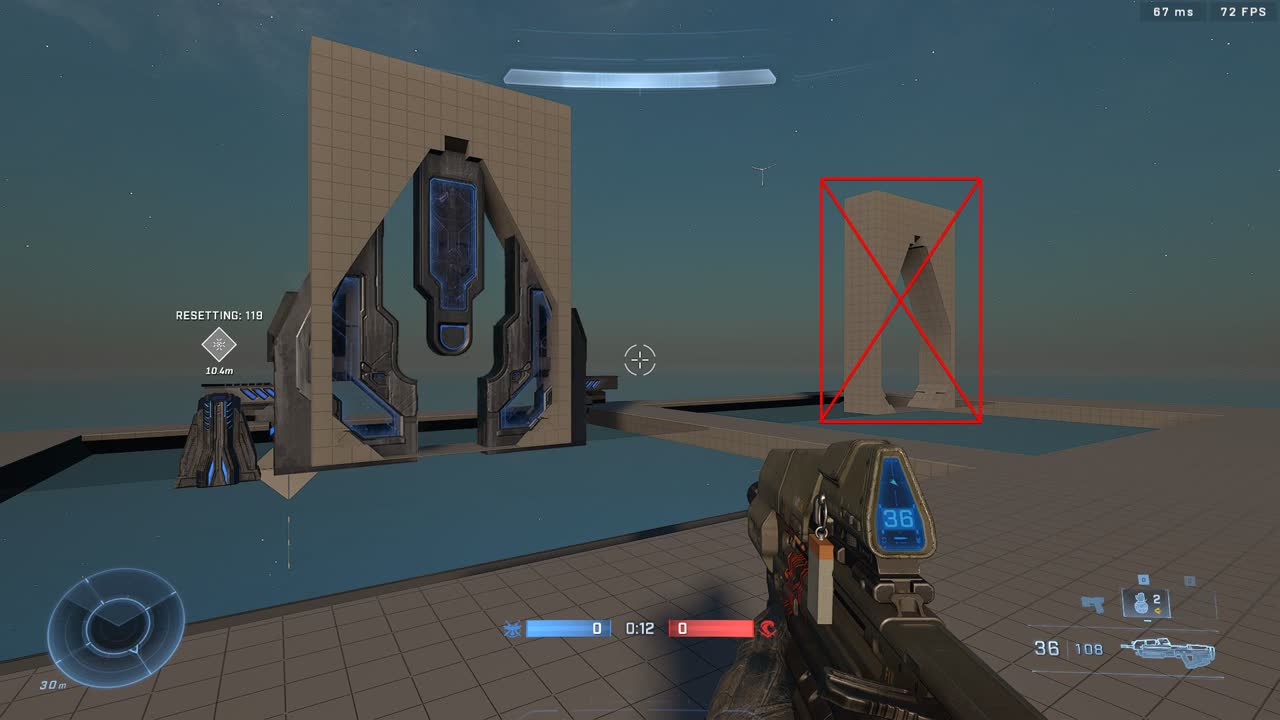
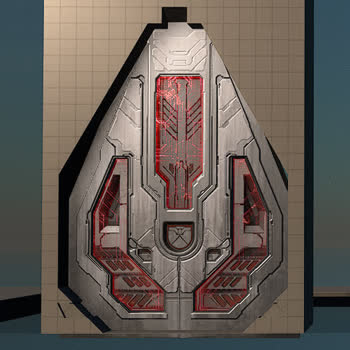
<div><figure><img src="/files/pmCZ8nIW7KY5iYC0hX57" alt=""><figcaption><p>Red color indicating a locked and closed door</p></figcaption></figure> <figure><img src="/files/JRjHOEj17nhrDHZNDc1e" alt=""><figcaption><p>Blue color indicating an unlocked and openable door</p></figcaption></figure></div>

#### Hack trigger

The loot caves in the prefab are configured to listen to the [hackCompleteEvent](/community/content/assets-and-kits/tsg-hackswitch.md#hackcompleteevent) trigger from a specific [hack switch](/community/content/assets-and-kits/tsg-hackswitch.md). If the trigger is received, the doors connected to that loot cave will play the door opening sequence.

#### Inside the loot cave

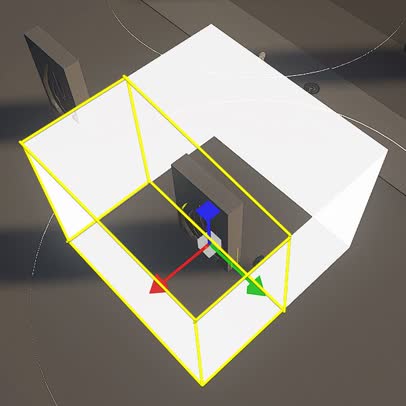
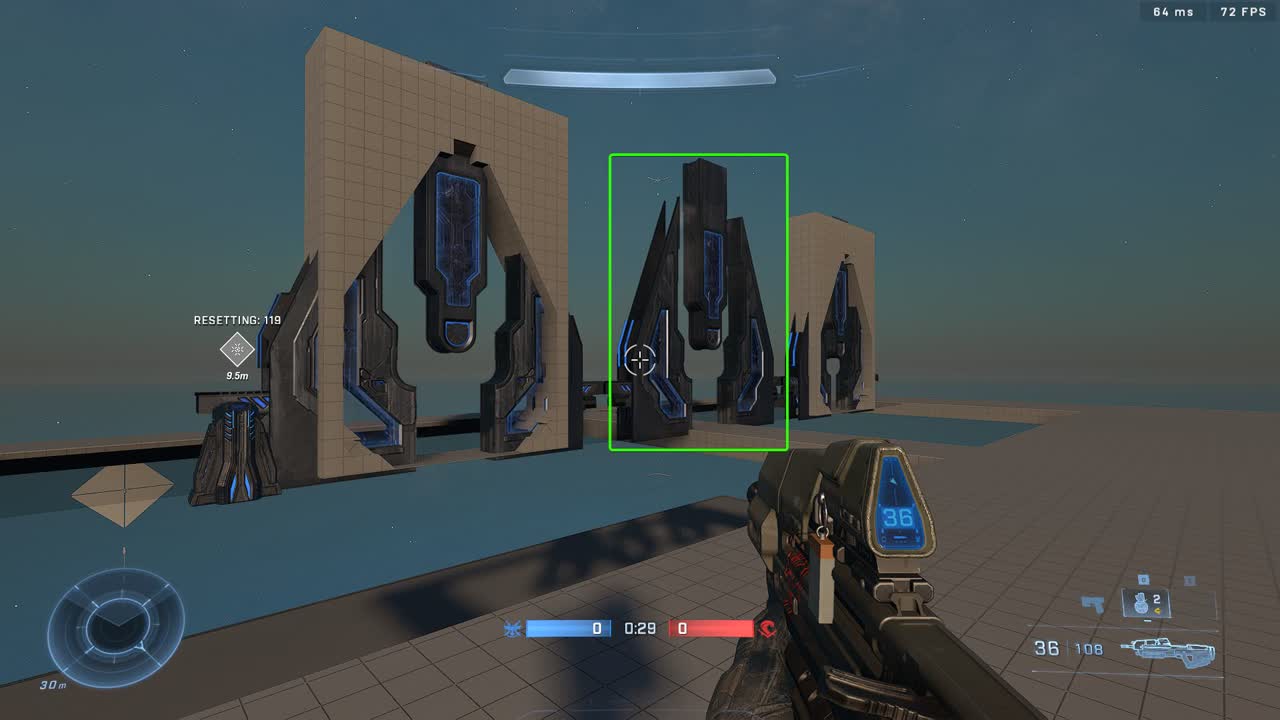
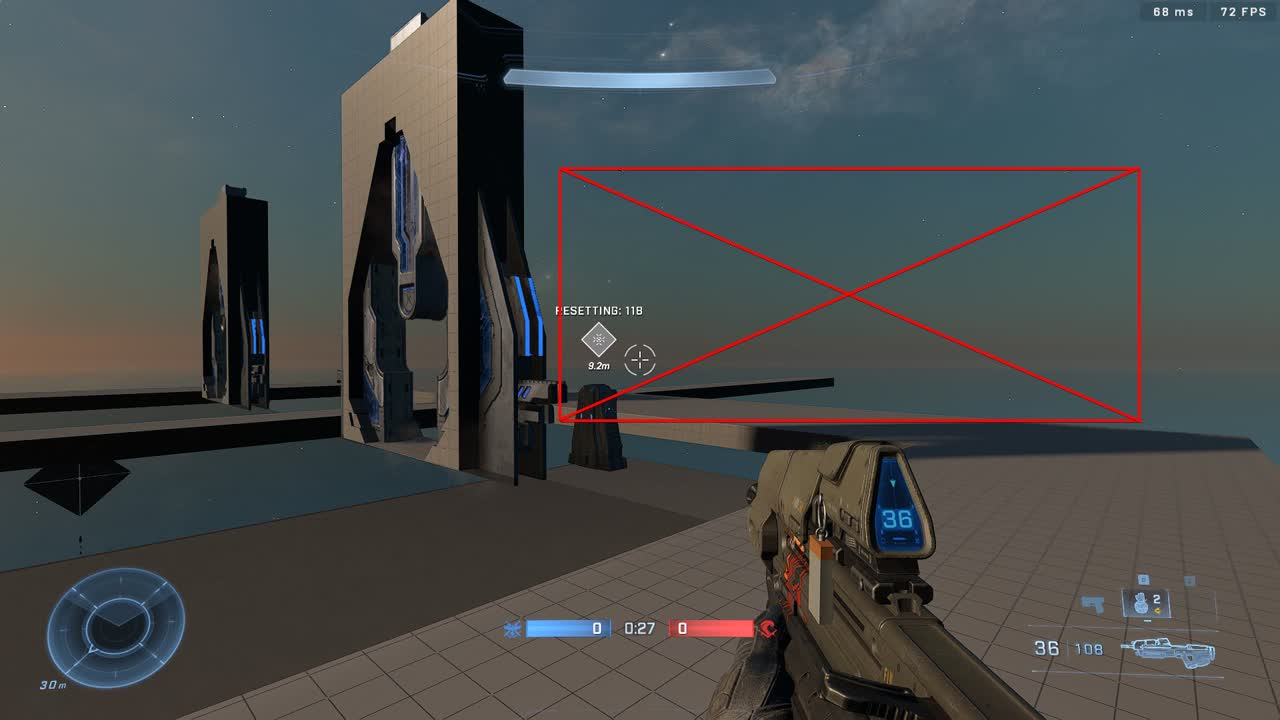
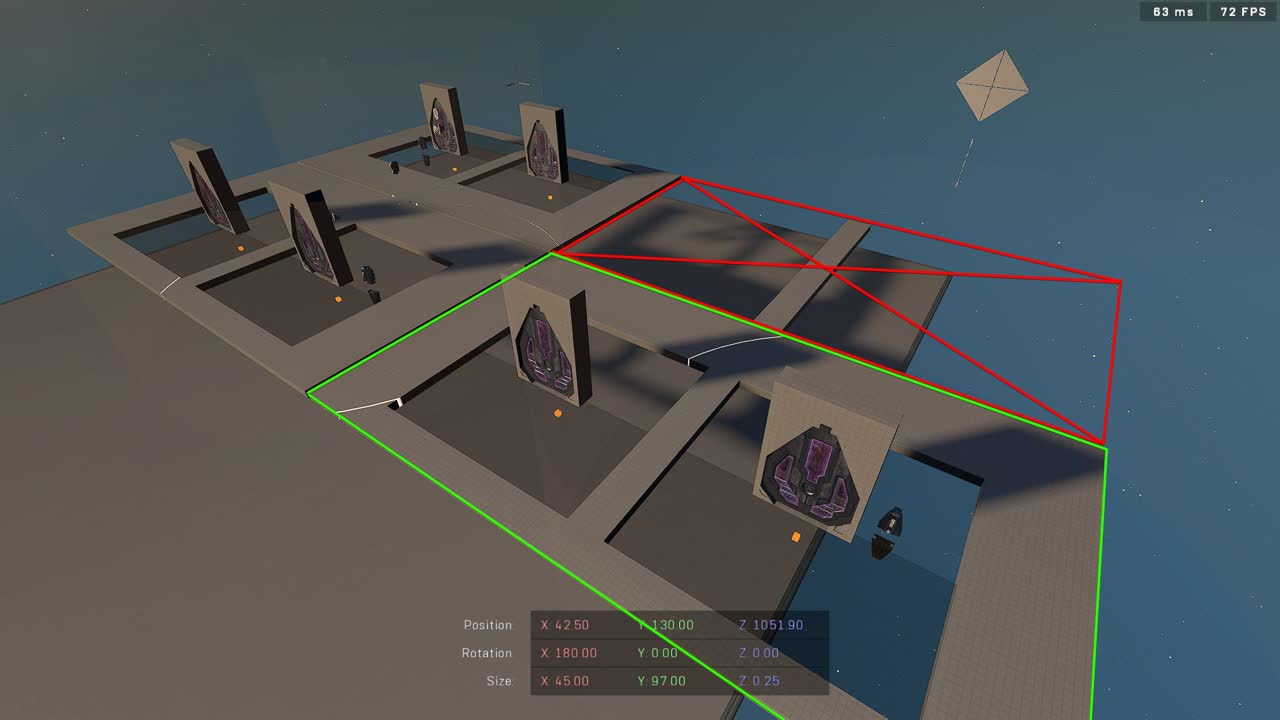
A door can be opened from the inside of a loot cave regardless of it being locker or unlocked, but technically only if the cubical trigger volume of the door is entered from the inside half. The inside half is the object forward vector which is the direction of the X axis (red arrow).

<figure><img src="/files/YlEdiOjr0UZ1m3lilAX1" alt=""><figcaption><p>The cubical trigger volume of a door visualized in white and the inside portion highlighted in yellow</p></figcaption></figure>

<div><figure><img src="/files/CPVfqllNkvunerUr7Q1Q" alt=""><figcaption><p>A locked door being opened from the inside</p></figcaption></figure> <figure><img src="/files/CThM7BsHVkNLlweeuiwK" alt=""><figcaption><p>A locked door staying locked when approaching from the outside</p></figcaption></figure></div>

### Door closing and locking

A door will automatically close and lock (red) with a short delay after the blue door has closed if a player, vehicle or AI unit doesn't enter the cubical trigger volume within that time.

## Adjustments

Modifyable parts of the loot cave prefab to better suit your map.

### Hack switch related

To adjust hack switch related variables like the hack time or cooldown time, refer to the [tsg hackSwitch documentation](/community/content/assets-and-kits/tsg-hackswitch.md#adjustments).

### Door opener location

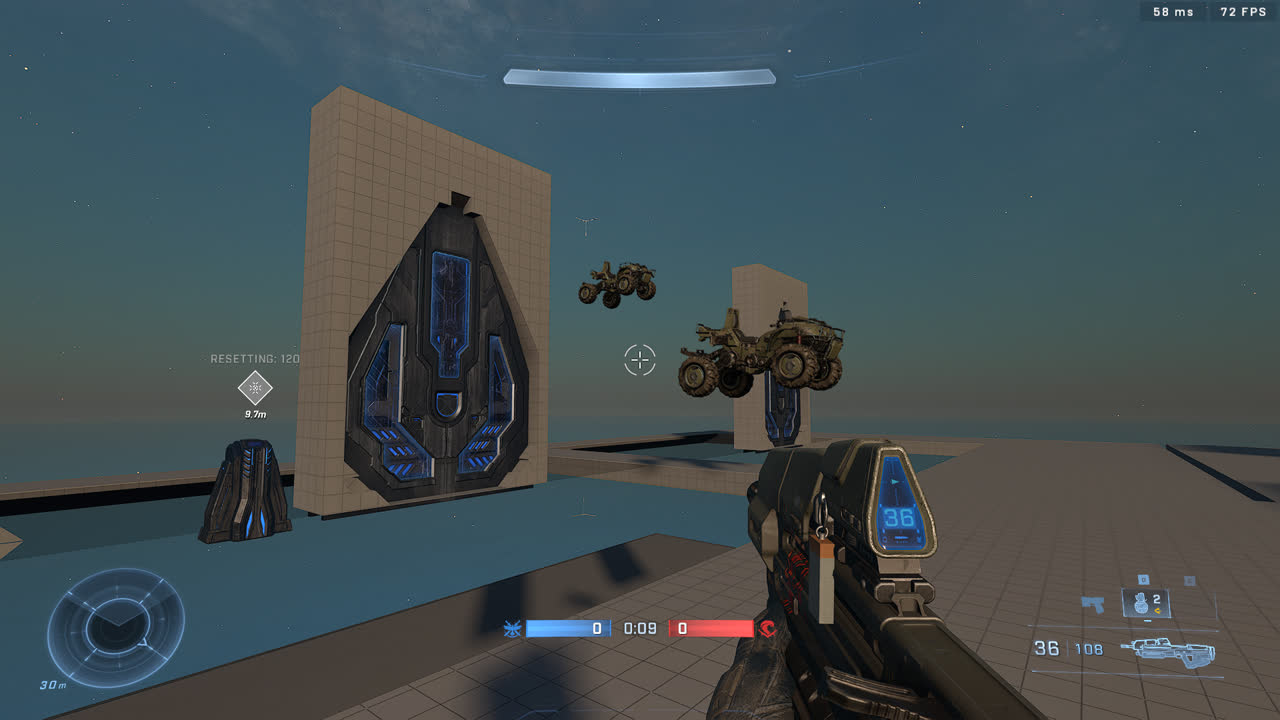
In order to reliably play the opening animation of the unlocked (blue) door even when a player is not nearby, a vehicle is spawned within the cubical trigger volume of the door. For this purpose, a cloned Mongoose is used that is temporarily spawned underneath the door by default.

<div><figure><img src="/files/dtCQ7U8dGzVtXBhsH22d" alt=""><figcaption><p>A Mongoose being spawned under each door of the loot cave causing them to open</p></figcaption></figure> <figure><img src="/files/I5viRUAfXXdBdyfykyyG" alt=""><figcaption><p>The doors opening shortly after due to the presence of the Mongooses</p></figcaption></figure></div>

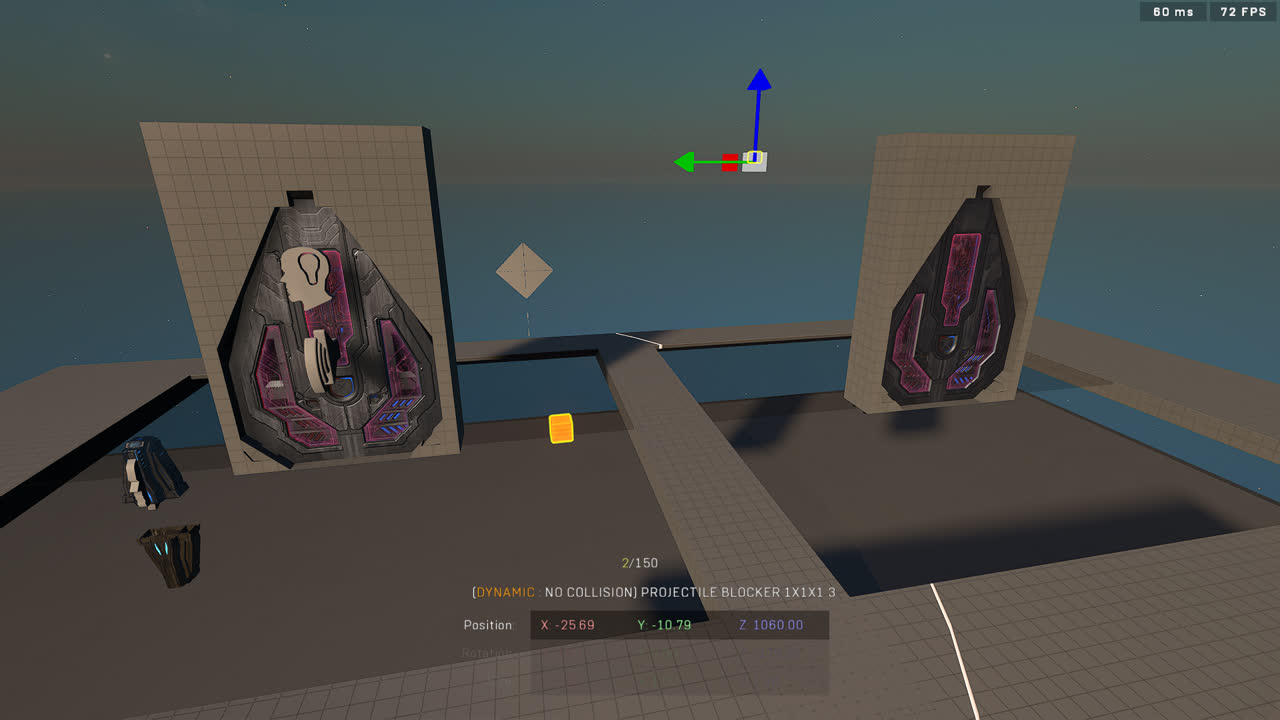
If this default location causes trouble on your map such as a Mongoose spawning in geometry and producing loud collision sounds, the location where the vehicle spawns can be adjusted by moving the Projectile Blocker 1x1x1 elsewhere within the cubical trigger volume of the door.

<div><figure><img src="/files/a8TV18H1RnwNfcOiyJM7" alt=""><figcaption><p>The locations of the Projectile Blockers being modified</p></figcaption></figure> <figure><img src="/files/9Y4kRwWMtjpDkPsISly9" alt=""><figcaption><p>Mongooses spawning on the new locations to open the doors</p></figcaption></figure></div>

## Adding or Removing Parts

Modularity is a large part of this prefab and the steps to adjusting the door- or loot cave amount are simple:

### Removing doors

To remove a door from a loot cave you must:

1. Delete the red and blue door objects and the Projectile Blocker 1x1x1 associated with that door assembly.\ <img src="/files/WbajIOaKifwcSpqValnz" alt="Key icon" data-size="original">
2. Open the Script Brain that handles the door event initialization for that loot cave (in front of the left door by default) and delete the block of code that handles the deleted door's initialization.\ <img src="/files/0vUvRyodqRFVxZGpGQ5y" alt="Key icon" data-size="original"> <img src="/files/WViwazkv0g9XRpWBZcas" alt="Key icon" data-size="original">
3. Confirm that the loot cave works.\ <img src="/files/xYKOQiTJbMA814Ii6VPe" alt="Key icon" data-size="original">

### Adding doors

To add a door to a loot cave you must:

1. Duplicate one of the existing door assemblies: the red and blue door objects and the Projectile Blocker 1x1x1 associated with that door assembly.\ <img src="/files/pfz2j7k06Qtn7SWpvwpq" alt="Key icon" data-size="original">
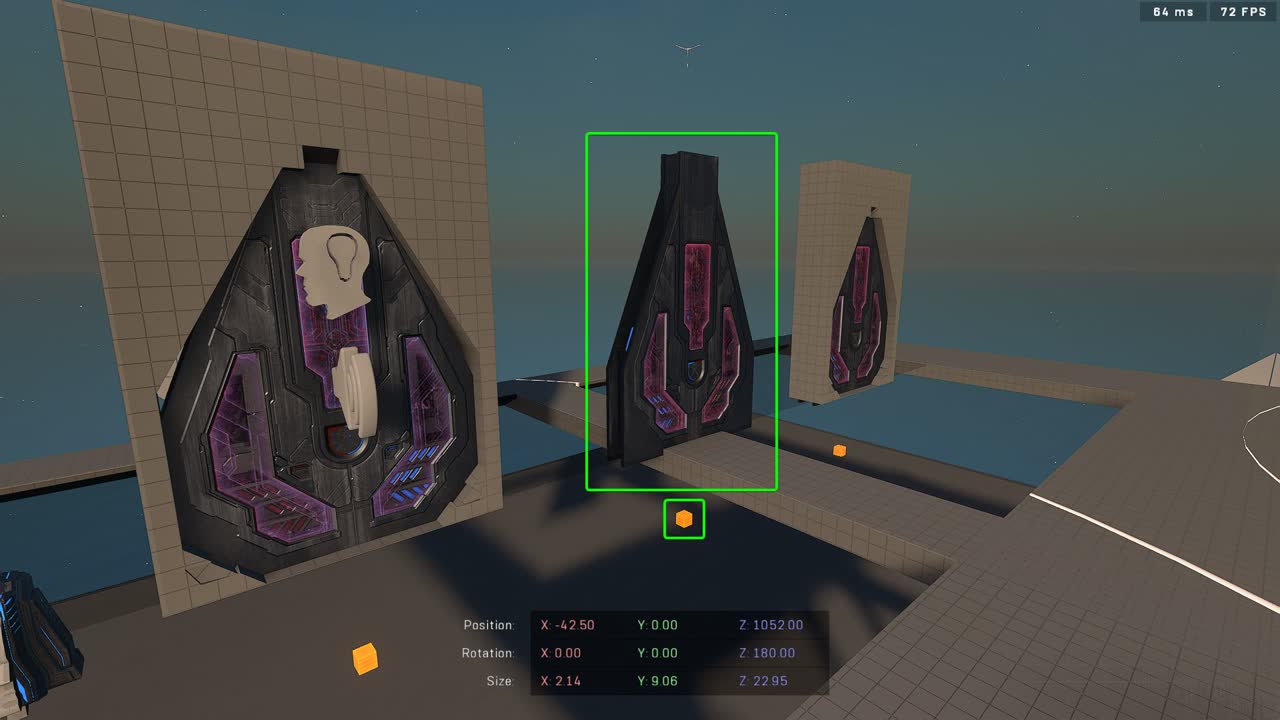
2. Open the Script Brain that handles the door event initialization for that loot cave (in front of the left door by default) and duplicate the block of code that handles some door's initialization.\ <img src="/files/Ay2P8gKnffmcislYhiug" alt="Key icon" data-size="original">
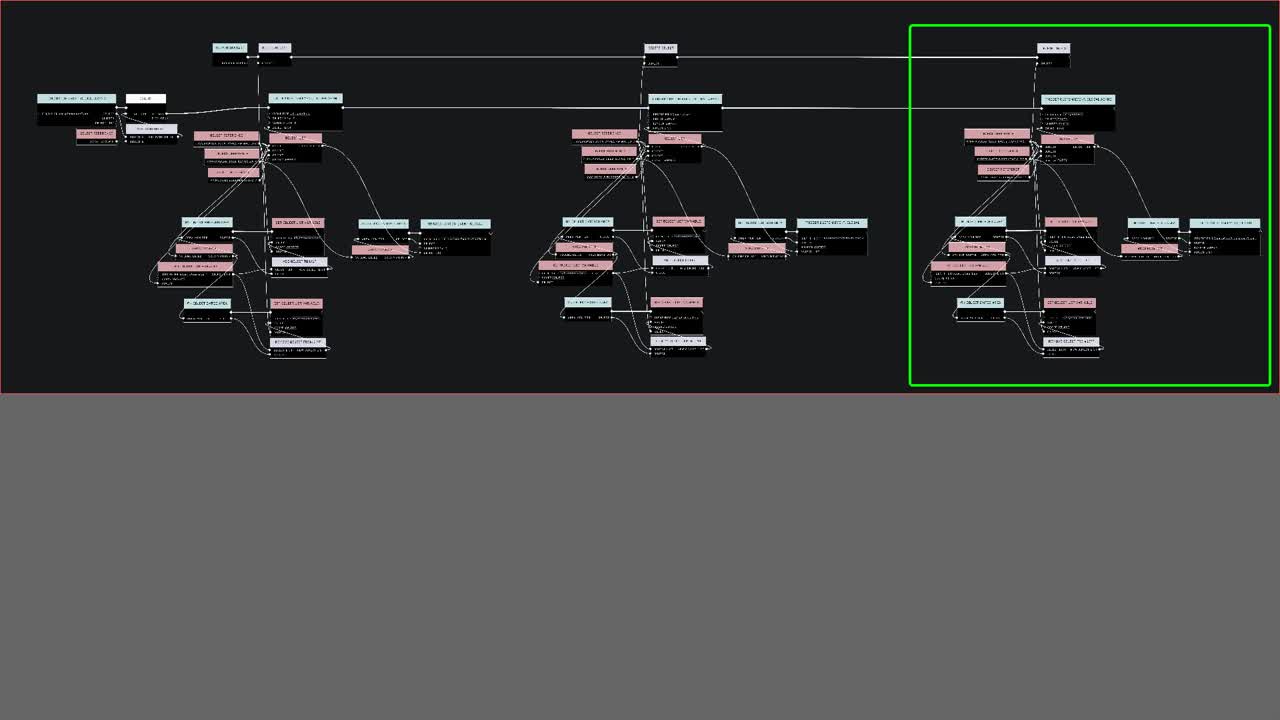
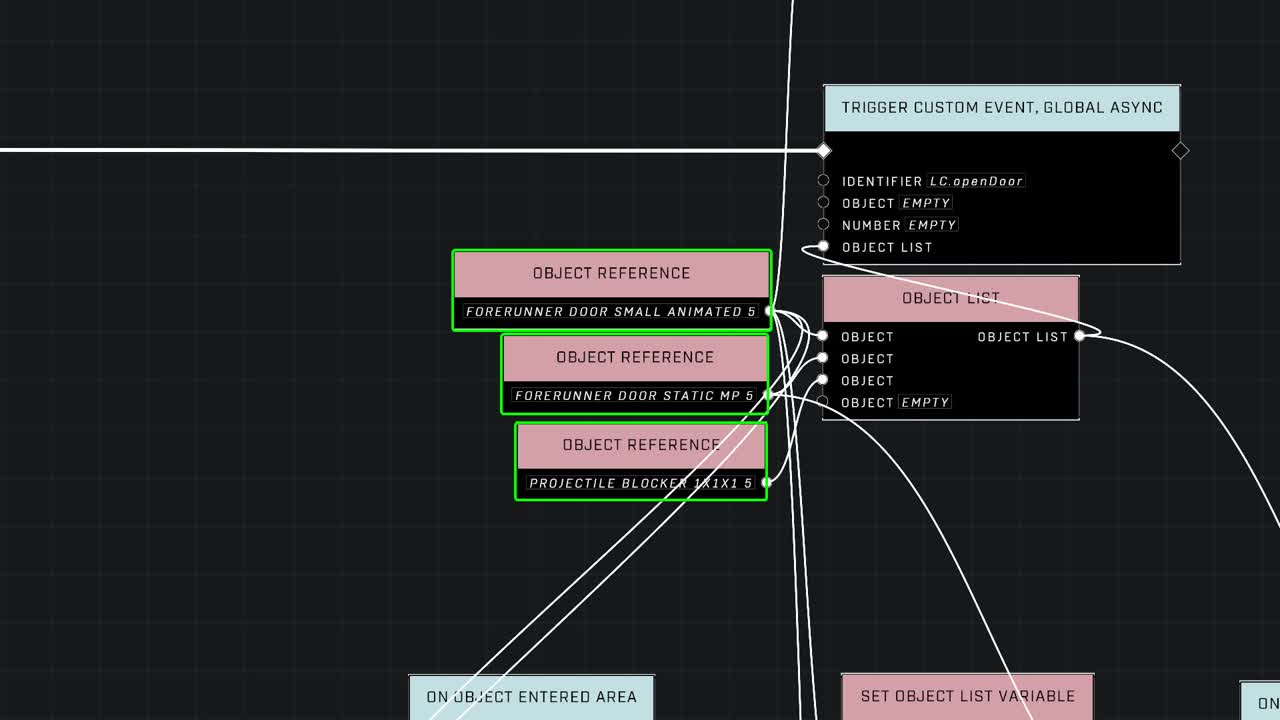
3. Connect the new block of code to the rest of the code and replace the Object References on the new code to be the duplicated door assembly objects.\ <img src="/files/GOa7vqn5G60NDfhPmpAZ" alt="Key icon" data-size="original">
4. Confirm that the loot cave works\ <img src="/files/nrmyvtH5mwItEajvpO5Z" alt="Key icon" data-size="original">

### Removing loot caves

To remove a loot cave you must:

1. Delete all objects associated with one loot cave. Don't delete the central Script Brain in the middle of the prefab.\ <img src="/files/mHBeqLK2tOjc1k5f1Lag" alt="Key icon" data-size="original">
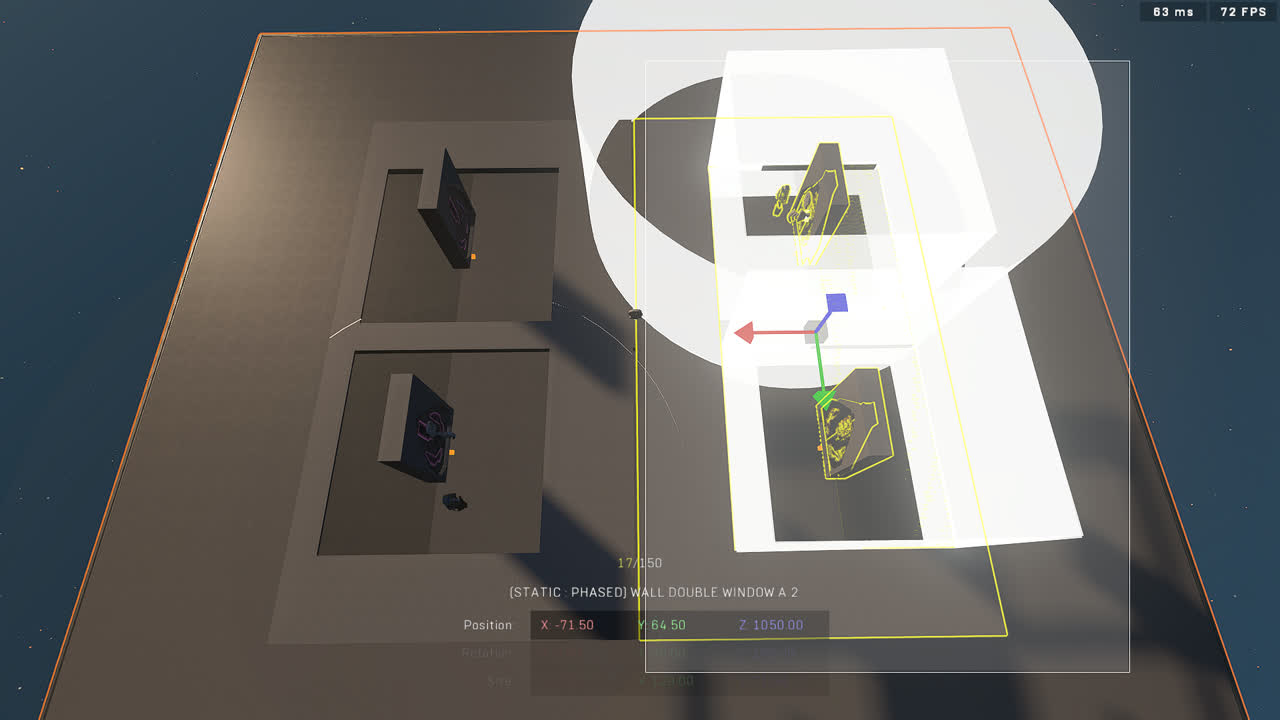
2. Confirm that the loot cave works.\ <img src="/files/0WvmDypFXVxrBwZzFux3" alt="Key icon" data-size="original">

### Adding loot caves

To add a loot cave you need to:

1. Spawn in a new tsg lootCaves prefab **and delete the central Script Brain of the new prefab**. Alternatively remove a loot cave if you only want to add one.\ <img src="/files/svs58XpedEMXohcK0NVE" alt="Key icon" data-size="original"> <img src="/files/KEc6n5DRtiIbB3IvUEJl" alt="Key icon" data-size="original">
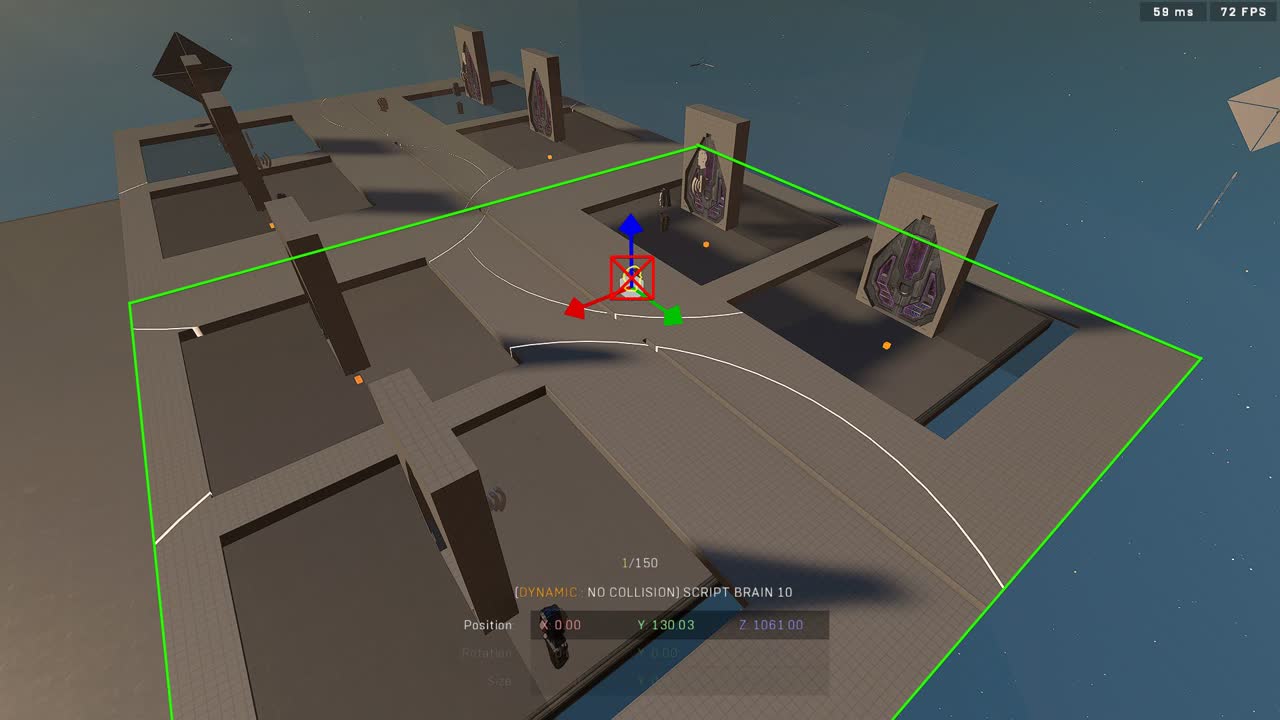
2. Confirm that the loot cave works.\ <img src="/files/mxfwrrvFo6fG7kiWd9QH" alt="Key icon" data-size="original"> <img src="/files/TYnPEGhnGI6agIpPK8er" alt="Key icon" data-size="original">
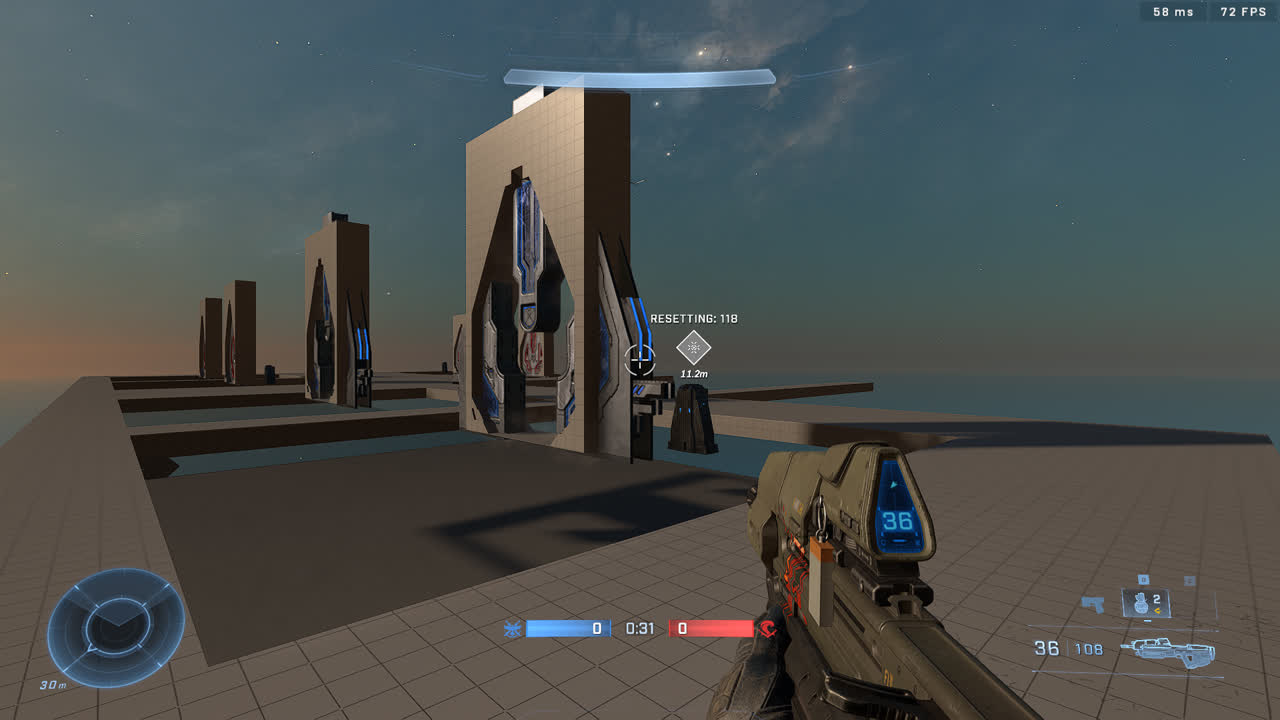
## Trivia

### Mongoose with no Object Reference

The way a Mongoose is spawned without an object reference to a Mongoose is by making a random player spawn in a Mongoose on round start, kicking them out, moving the spawned Mongoose to a stasis storage location and moving the player to the Mongoose's original spawn location at the spawn point. This all happens instantly and doesn't affect gameplay.

Credit for this concept goes to Cookies from the TSG Discord <https://discord.com/channels/220766496635224065/952263098734084136/1279935990563082344>
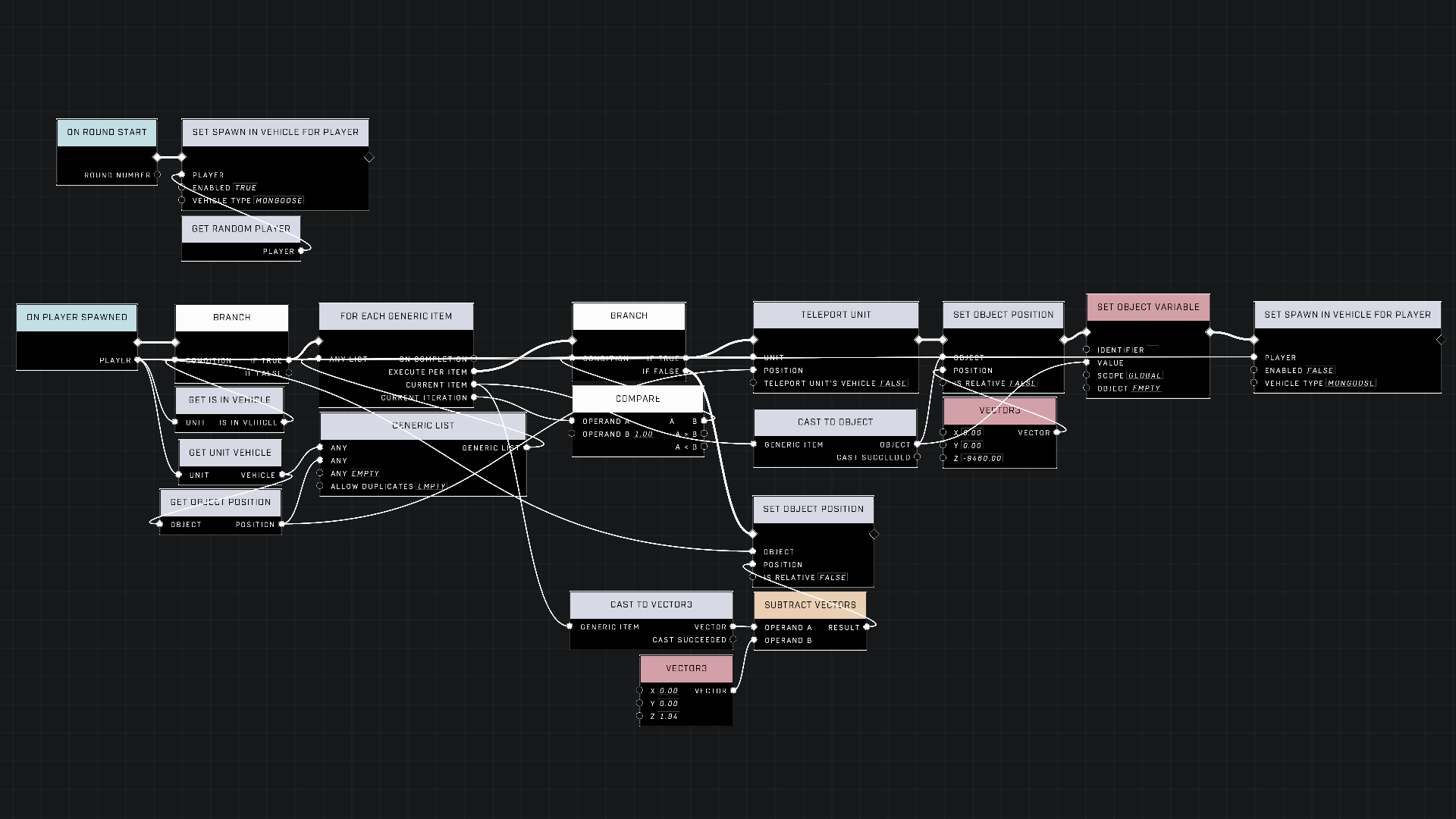
<figure><img src="/files/8yZIQK7adOJbdmhGWdd9" alt=""><figcaption><p>A script to spawn a Mongoose with no Object Reference to a Mongoose</p></figcaption></figure>

### The idea

From Okom, the prefab creator:

> I had the idea to recreate the Fragmentation loot caves in Forge already in late December 2022, and it was my first scripting project in Halo Infinite. My question post about it in the TSG Discord is here: <https://discord.com/channels/220766496635224065/1057368234464120983/1057368234464120983>
>
> Limited by Forge's capabilities at the time and mostly by my scripting knowledge, I didn't get very far efficiently, but still got a working loot cave! – with some bugs. Now attempting the project again nearly two years after and I'm glad about how it turned out with how close to the original, and how efficiently I was able to make it.

***

#### <mark style="color:green;">Contributors</mark>

Okom


---

# Agent Instructions: Querying This Documentation

If you need additional information that is not directly available in this page, you can query the documentation dynamically by asking a question.

Perform an HTTP GET request on the current page URL with the `ask` query parameter:

```
GET https://wiki.thescriptersguild.com/community/content/assets-and-kits/tsg-lootcaves.md?ask=<question>
```

The question should be specific, self-contained, and written in natural language.
The response will contain a direct answer to the question and relevant excerpts and sources from the documentation.

Use this mechanism when the answer is not explicitly present in the current page, you need clarification or additional context, or you want to retrieve related documentation sections.